Projects

Web-Development Projects
Project-1 :
Objective :
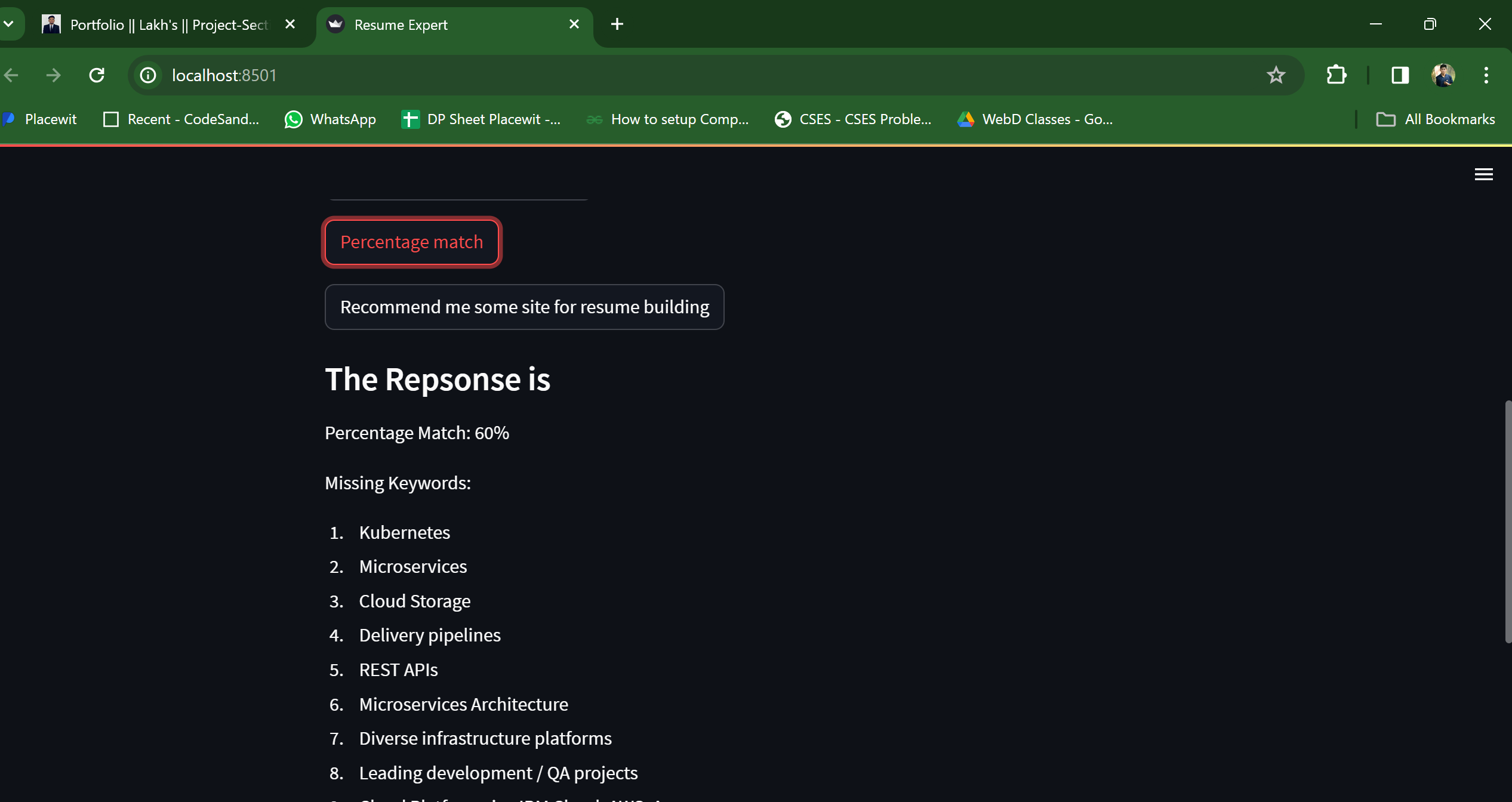
The objective of the Art Gallery-Ecommerce Website was to create an online platform for selling handmade paintings, providing a seamless shopping experience for users while offering efficient management capabilities for the admin.
Features :
Ecommerce Functionality: Developed a fully functional ecommerce website using HTML, CSS, JavaScript, and Node.js, allowing users to browse through a collection of handmade paintings, add items to the cart, and proceed with secure payments via Stripe integration.
User-friendly Interface: Designed and implemented user-friendly interfaces with intuitive navigation, ensuring a smooth and enjoyable browsing and shopping experience for customers.
Stripe Integration: Integrated Stripe payment gateway to facilitate secure online payments, providing users with a seamless and secure checkout process.
Admin Panel: Implemented an admin panel where the admin can manage the website's products, including adding new paintings, deleting existing ones, and accessing customer details through the Stripe dashboard.
Role and Contribution
As a developer in this project, my responsibilities included:
Collaborating with the team to define the project requirements and features.
Designing and developing the frontend of the website using HTML, CSS, and JavaScript, focusing on responsiveness and user experience.
Implementing backend functionalities using Node.js, including user authentication, product management, and integration with the Stripe API for payment processing.
Integrating Stripe payment gateway to enable secure online transactions.
Testing the website thoroughly to ensure functionality, performance, and security.
Technology used :
HTML, CSS, JavaScript: Frontend technologies used for designing and developing the user interface and user experience.
Node.js: Backend runtime environment used for server-side scripting and backend development.
Stripe: Payment processing platform used for secure online transactions and payment integration.
Project-2 : Lead Tracker-Web app
Objective :
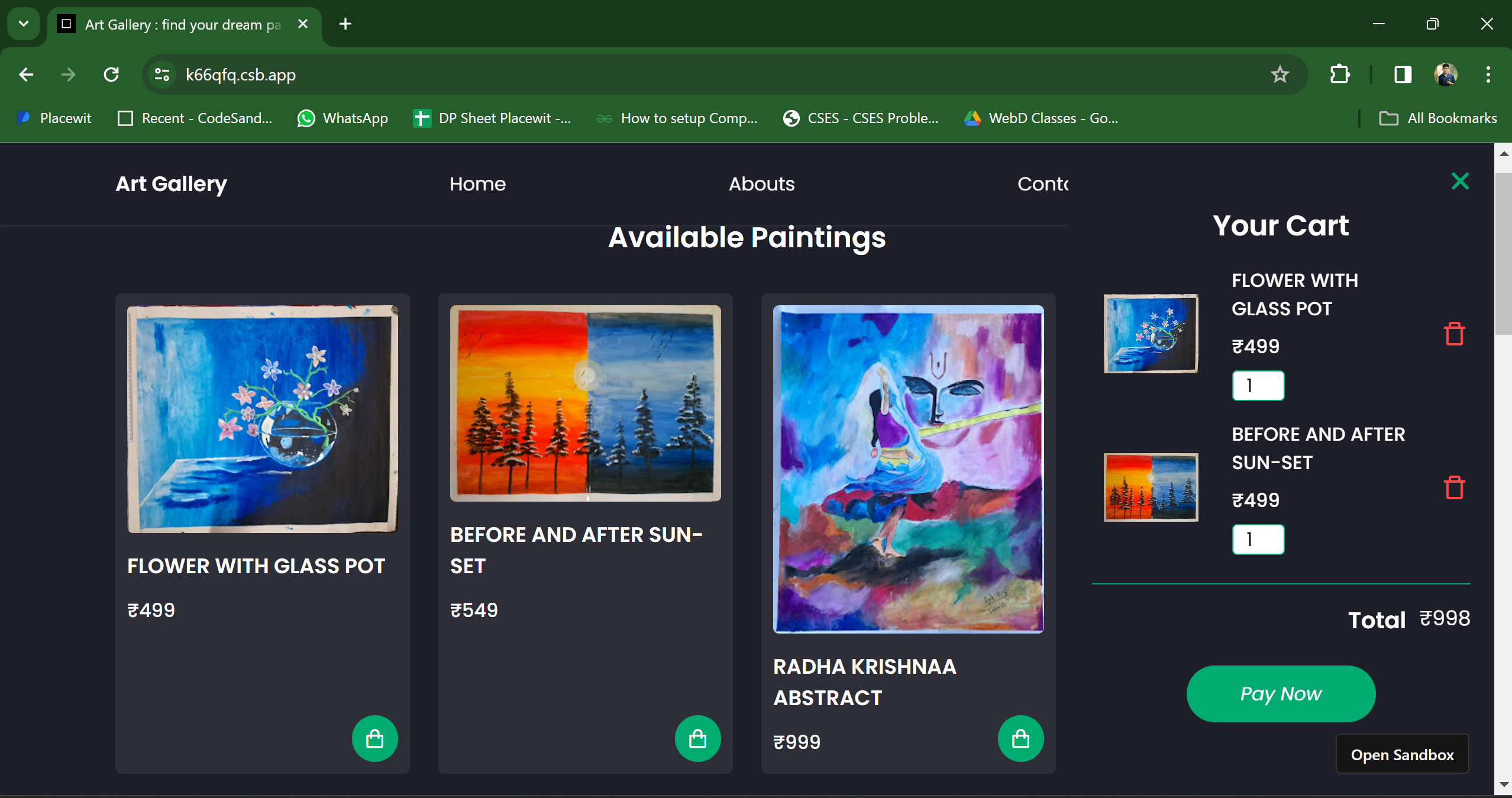
The Lead Tracker Application was developed with the goal of providing a comprehensive platform for tracking leads, facilitating communication between users and managers, and streamlining follow-up processes. The application aimed to enhance lead management efficiency and improve communication within the team.
Features :
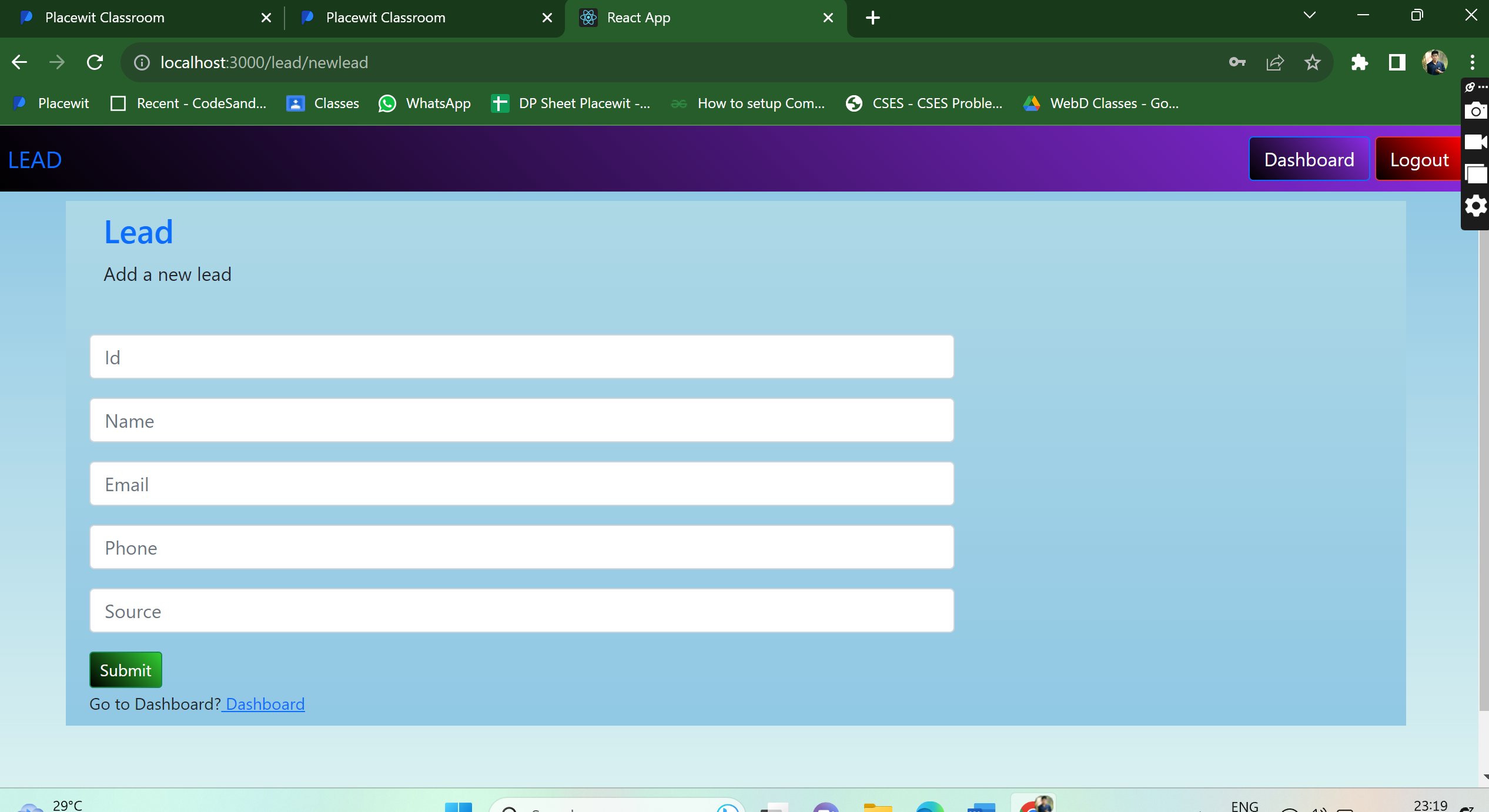
Frontend Design: Designed the frontend part of the application, focusing on creating an intuitive and visually appealing user interface using HTML, CSS, and JavaScript. Ensured a seamless user experience across different devices and screen sizes.
Backend Development: Completed backend development using Node.js, implementing robust server-side logic and RESTful APIs for handling user requests and database operations.
User Authentication: Implemented a sign-in/login page with user authentication functionality, ensuring secure access to the application's features and data.
Lead Management: Provided features for users to check leads, communicate with managers, and follow up on leads, enhancing collaboration and productivity within the team.
Admin Panel: Developed an admin panel with functionalities for the admin to delete, edit, or add new clients, providing flexibility and control over lead management processes.
Role and Contribution
As a developer on this project, my contributions included:
Collaborating with the team to conceptualize and plan the application's features and functionality.
Designing and implementing the frontend user interface using HTML, CSS, and JavaScript, focusing on usability and responsiveness.
Completing backend development using Node.js, including the implementation of RESTful APIs for handling user requests and database operations.
Implementing user authentication functionality to ensure secure access to the application.
Testing the application thoroughly to identify and resolve any bugs or issues, ensuring a smooth user experience.
Technology used :
HTML, CSS, JavaScript: Frontend technologies used for designing and implementing the user interface and user interactions.
React.js: JavaScript library used for building interactive user interfaces.
Node.js: Backend runtime environment used for server-side logic implementation and API development.
MongoDB: NoSQL database used for storing and managing application data efficiently.
more
Mobile App Development
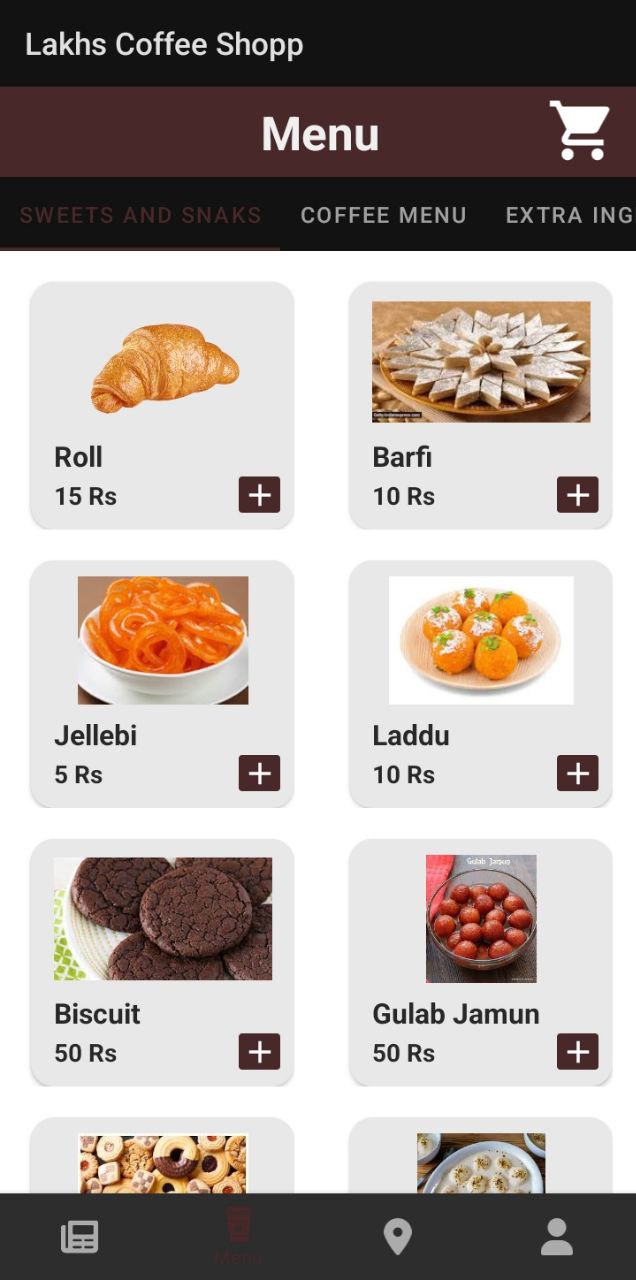
Project-1 : Coffee Shop Aplication
Objective :
The objective of the Coffee Shop Android Application was to create a user-friendly mobile application that allows users to browse through available coffee, sweets, and prizes, place orders, and seamlessly manage inventory and orders for the admin
Features :
User Interface Design: Designed intuitive and visually appealing user interfaces and page layouts using XML, ensuring a seamless and enjoyable user experience.
Backend Development: Utilized Java for backend development, implementing logical functionalities such as user authentication, order processing, and inventory management.
Database Integration: Integrated Firebase database for efficient data management, allowing real-time synchronization of data between the application and the cloud.
Admin Panel: Implemented an admin panel where the admin can dynamically edit the available ingredients, coffee, sweets, and prizes, ensuring flexibility and ease of management.
Role and Contribution
As a developer in this project, my responsibilities included:
Collaborating with the team to conceptualize and plan the application's features and functionality.
Designing and implementing user interfaces using XML, focusing on usability and aesthetics.
Developing backend logic in Java, including user authentication, order processing, and database operations.
Integrating Firebase database for seamless data management and real-time updates.
Testing the application thoroughly to ensure a bug-free user experience.
Technology used :
Android Studio: IDE used for Android application development.
XML: Markup language used for designing user interfaces.
Java: Programming language used for backend development and logic implementation.
Firebase: Backend as a Service (BaaS) platform used for real-time database management and synchronization.
Project-2 : FLAME
Objective :
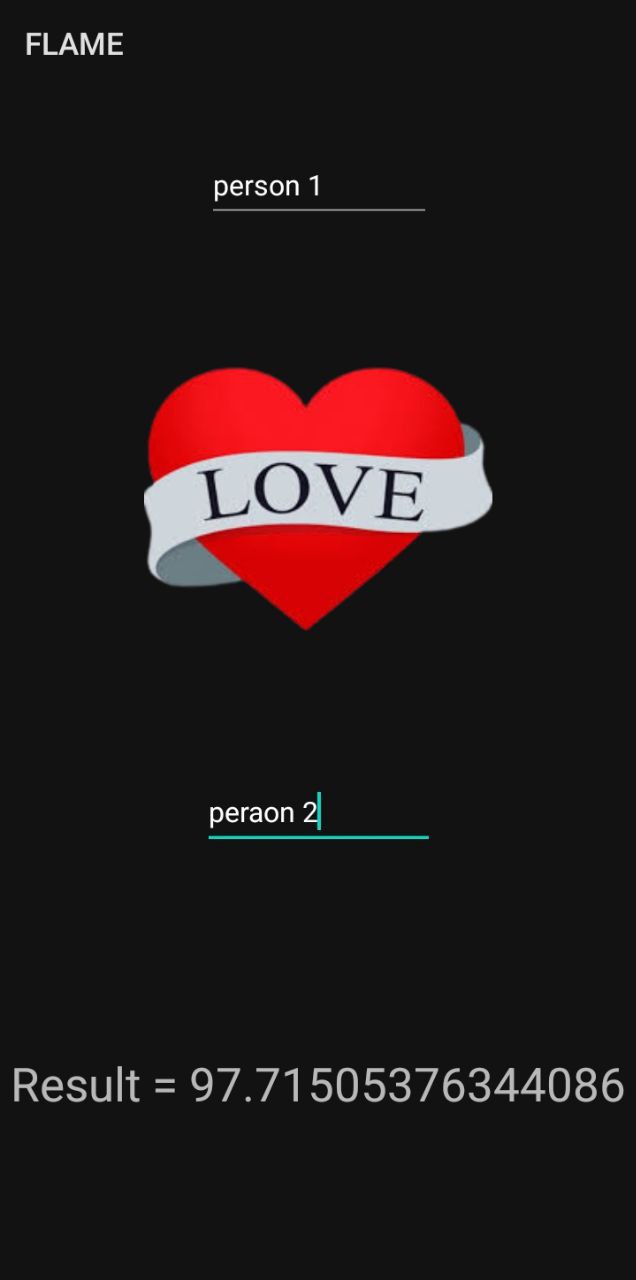
FLAME is a fun and entertaining Android application designed to calculate the "love percentage" between two individuals based on their names. The objective of this application is to provide users with a light-hearted and enjoyable experience while exploring their compatibility with their partner or crush.
Features :
Love Percentage Calculation: FLAME uses a simple algorithm to calculate the "love percentage" between two individuals by comparing the letters in their names and generating a score.
User Input: Users can input their own name and the name of their partner or crush directly into the application's interface.
Interactive Results: Upon inputting the names, FLAME generates the love percentage along with a corresponding category (e.g., Friends, Lovers, Affection, Marriage, Enemies), adding an element of surprise and fun to the result.
Share Results: Users have the option to share the calculated love percentage and category with their friends or on social media platforms, enhancing the interactive and social aspect of the application.
Role and Contribution
As the developer of FLAME, my responsibilities included:
Conceptualizing and designing the application's user interface to ensure a visually appealing and engaging user experience.
Implementing the love percentage calculation algorithm in Java, ensuring accuracy and reliability in the results.
Integrating user input functionality to allow users to input their names and their partner's names seamlessly.
Designing the result display interface to present the calculated love percentage and category in an interactive and visually appealing manner.
Testing the application thoroughly to ensure accurate calculation and smooth functionality across various Android devices and screen sizes.
Technology used :
Android Studio: IDE used for Android application development.
Java: Programming language used for backend logic implementation and algorithm design.
XML: Markup language used for designing the user interface.
Android SDK: Software Development Kit used for building Android applications.
Machine-Learning Projects
Project-1 : Resume Analyzer
Objective :
The Resume Analyzer and Recommender is a web application built using Python, Streamlit, and Google's Generative AI API. The primary goal of this project is to assist job seekers in optimizing their resumes by providing personalized feedback and recommendations based on job descriptions and resume content.
Features :
Job Description Analysis: Users can input job descriptions to analyze key requirements and skills sought by employers.
Resume Evaluation: Users can upload their resumes (in PDF format) to receive evaluations on alignment with job descriptions, strengths, weaknesses, and suggested improvements.
Skills Improvement Suggestions: The application provides personalized suggestions for skills improvement based on the job description and resume analysis.
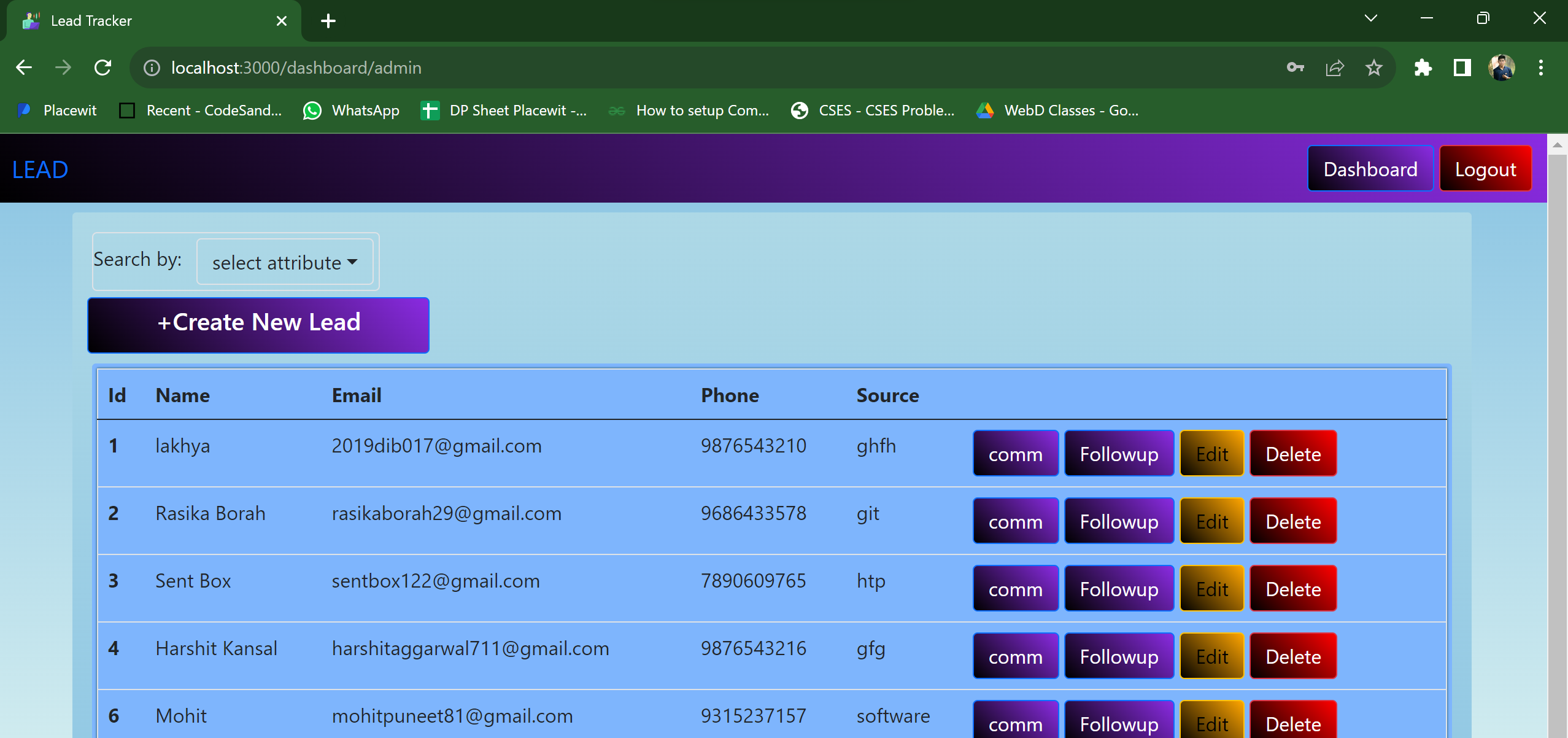
Percentage Match Calculation: Users can calculate the percentage match of their resumes with the provided job descriptions.
Resume Building Recommendations: The application recommends websites for resume building based on the user's profile and job requirements.
Role and Contribution
As a key contributor to the Resume Analyzer and Recommender project, my role encompassed various responsibilities throughout its development lifecycle
Technology used :
Python: Programming language used for backend development and logic implementation.
Streamlit: Open-source Python library used for building interactive web applications.
Google's Generative AI API: Used for analyzing and generating personalized ecommendations based on job descriptions and resume content.
PDF2Image: Python library used for converting PDF resumes into images for analysis.
PIL (Python Imaging Library): Python library used for image processing.
Numpy and Pandas: Python code editor and libraries
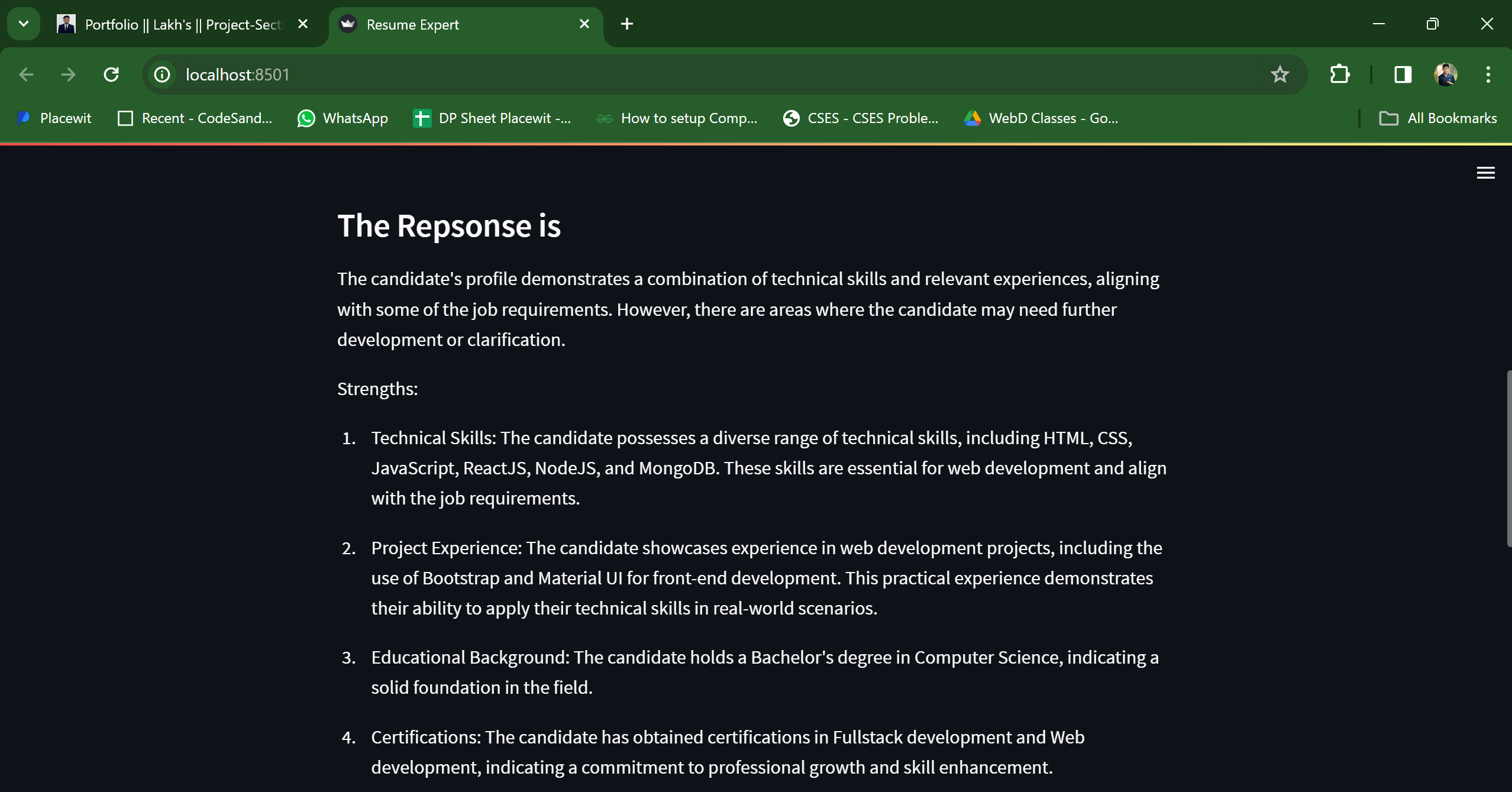
result as we analyze the resume
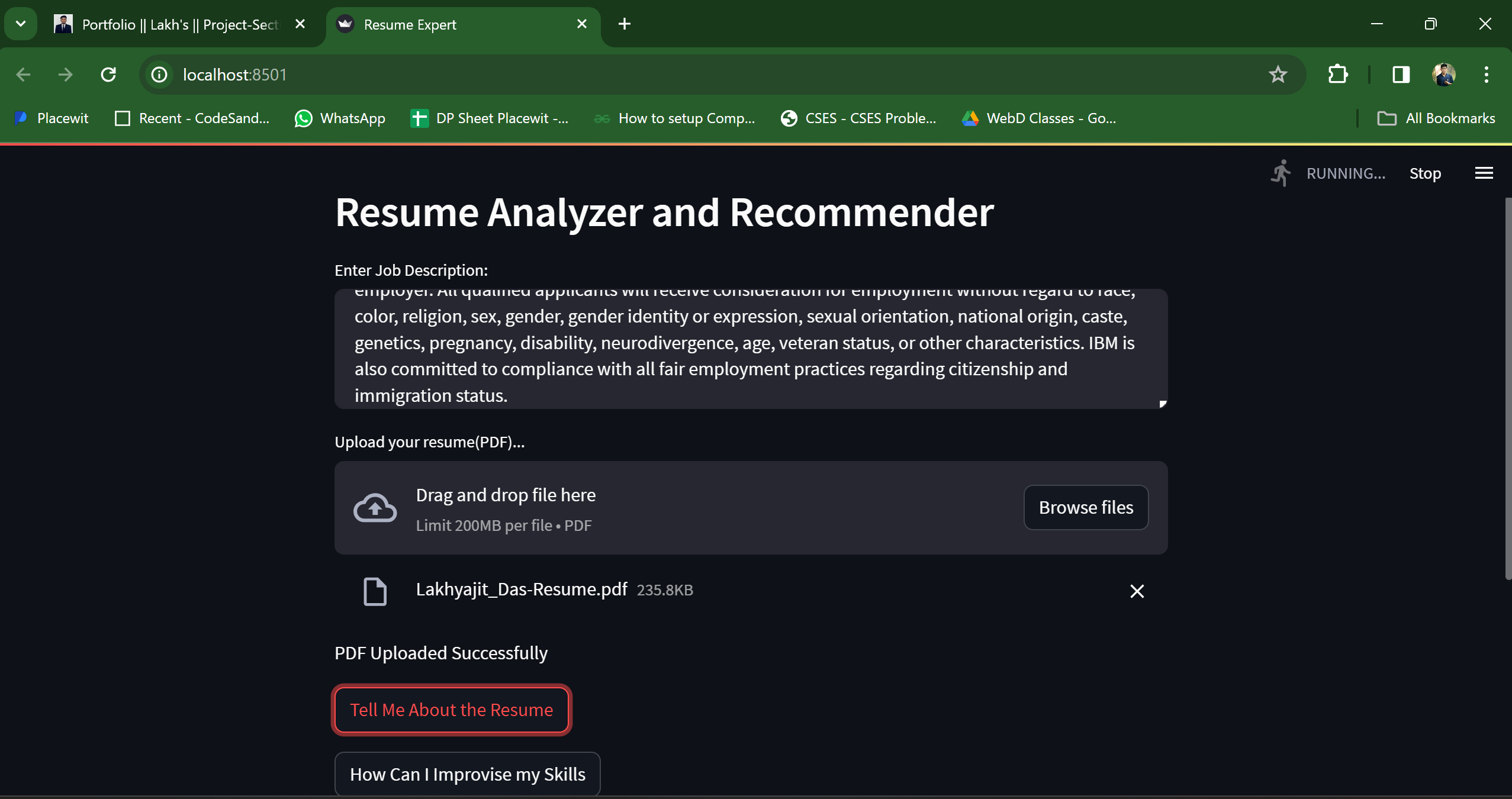
Matching the resume with job description